Table of Contents
Open Table of Contents
- Python Doesn’t Have Variables. That’s Why These Gotchas Keep Winning.
- See the object, not the name
- Watch a default argument outlive the call
- Catch closures that all remember the last loop value
- See UnboundLocalError rewrite the function you thought you understood
- Stop treating tuples as frozen lists
- Notice class attributes are shared until an instance steals the name
- Stop using
iswhere you mean== - Pass arguments the way Python actually does
- Work the quiz cluster that still shows up on exams
- Deep dive: hashing, frozen dataclasses, and what Python 3.14 changed
- What to do this week
Python Doesn’t Have Variables. That’s Why These Gotchas Keep Winning.
Put this on a whiteboard. Don’t run it yet. Write down what it prints.
# Python 3.12+  (CPython; same results on 3.14)
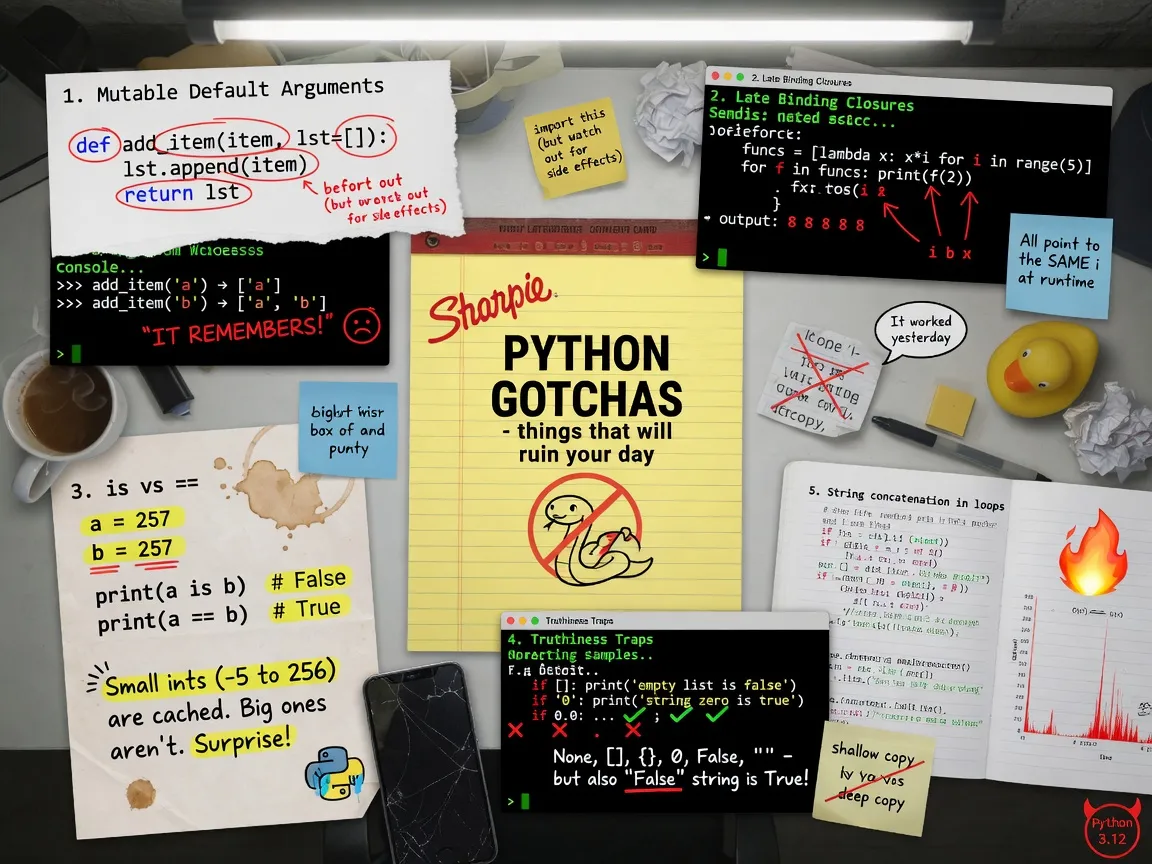
def add_item(item, bucket=[]):
    bucket.append(item)
    return bucket

print(add_item("sword"))
print(add_item("shield"))
Most people write ['sword'] then ['shield']. Python prints ['sword'] then ['sword', 'shield'].
That isn’t a compiler bug. It isn’t “Python being weird.” It is the language doing exactly what it said it would do, and your mental model of variables is the thing that is wrong.
I still see this one in interviews. I still see it in production. I still see language models emit it with a docstring that claims the list is empty every call. The quiz never got old because the mistake is not trivia. It is the object model.
If you take one thing from this article, take this: Python has names bound to objects. It does not have boxes that hold values. Almost every famous Python gotcha is that sentence in costume.
See the object, not the name
I learned C++ at Bell Labs in 1987. C++ has objects, pointers, and references, and people still mix them up. Python is simpler on paper and more confusing in practice: there are no pointers in the syntax, and every name is a reference.
x = [10]
y = x
y.append(20)
print(x)   # [10, 20]
y = x did not copy a list. It bound a second name to the same object. append mutated that object. Both names see the mutation because there was only ever one list.
Now the immutable case:
x = 5
y = x
x = x + 1
print(x, y)   # 6 5
Integers cannot be mutated. x = x + 1 built a new int and rebound the name x. y still names 5.
That is the whole game:
- Rebinding a name (
x = ...) points the name at a different object. - Mutating an object (
x.append(...),x[0] = ...,x += ...on a list) changes the object that every name for it can see.
Methods that mutate usually return None. That is deliberate. sorted(xs) returns a new list. xs.sort() mutates and returns None. If you write xs = xs.sort(), you now have None, and the bug is loud. Be grateful when bugs are loud. The ones below are quiet.
Pro tip: When a result surprises you, print
id(obj)— or just useis. Equality asks “same value?” Identity asks “same object?” Interviews mix those on purpose.
Watch a default argument outlive the call
Function defaults are evaluated once, when the def runs, not on every call. The official FAQ has said this for years, and people still write this:
def foo(mydict={}):
    ...
Here is a complete, runnable cousin of the bug as it shows up in student games and in service code that “just needs a little cache.”
# Python 3.12+
# Run: python3 this_file.py

from pprint import pprint


def add_drop(item: str, inventory: list | None = []) -> list:
    """Looks innocent. The default list is created once, at def time."""
    inventory.append(item)
    return inventory


def add_drop_fixed(item: str, inventory: list | None = None) -> list:
    if inventory is None:
        inventory = []
    inventory.append(item)
    return inventory


def main() -> None:
    hero = add_drop("sword")
    npc = add_drop("apple")          # shares hero's list
    print("broken hero:", hero)
    print("broken npc: ", npc)
    print("same object?", hero is npc)

    hero2 = add_drop_fixed("sword")
    npc2 = add_drop_fixed("apple")
    print("fixed hero:", hero2)
    print("fixed npc: ", npc2)
    print("same object?", hero2 is npc2)


if __name__ == "__main__":
    main()
Contract: each caller who omits inventory should get a fresh list.
Failing input: two calls with no second argument.
What actually happens: both calls receive the same list object, stored on the function as add_drop.__defaults__[0]. After the second call you have ['sword', 'apple'] in both names, and hero is npc is True.
The fix is the one in the FAQ: default to None, allocate inside. Use is None, not if not inventory. An empty list the caller passed you is a real inventory. It is empty on purpose.
Gotcha:
def f(xs=None): xs = xs or []looks like the fix. It is not. A caller who passes[]— a valid empty collection — gets it thrown away. Same trap asname = name or "anonymous"when""is a legal name.
The counterargument I hear: “But you can use a mutable default as a memoization cache.” You can. The FAQ even shows it. I almost never want that. It is implicit global state hanging off a function object, it is a nightmare to test, and functools.cache / functools.lru_cache already exist. If I do want a cache parameter for tests, I make it keyword-only and name it _cache, so nobody trips into it.
from functools import cache

@cache
def expensive(a: int, b: int) -> int:
    return a ** b
That is the production version of the FAQ’s trick, without the landmine in the parameter list.
Catch closures that all remember the last loop value
This is the other interview classic, and it is the same bug wearing a lambda.
squares = []
for x in range(5):
    squares.append(lambda: x ** 2)

print(squares[2]())  # people say 4
print(squares[4]())  # people say 16
Both print 16. Then you do x = 8 and squares[2]() prints 64.
The lambdas did not capture values. They captured the name x. Lookup happens when the lambda runs, not when it is created. After the loop, x is 4. One name, one object, five functions staring at it.
This is not a lambda special. Nested def does the same thing. The usual CS 2 pattern is a GUI or a game: you build buttons in a loop, each supposed to select a different item, and every button selects the last item.
Fix by binding a value at definition time. A default argument is the idiomatic trick, because defaults are evaluated at def time — the same fact that just burned you.
# Python 3.12+
from functools import partial


def make_handlers_broken(names: list[str]) -> list:
    handlers = []
    for name in names:
        handlers.append(lambda: f"equip {name}")
    return handlers


def make_handlers_default(names: list[str]) -> list:
    handlers = []
    for name in names:
        handlers.append(lambda n=name: f"equip {n}")
    return handlers


def make_handlers_partial(names: list[str]) -> list:
    def equip(n: str) -> str:
        return f"equip {n}"
    return [partial(equip, name) for name in names]


def make_handlers_factory(names: list[str]) -> list:
    def make(n: str):
        return lambda: f"equip {n}"
    return [make(name) for name in names]


def main() -> None:
    names = ["sword", "bow", "staff"]
    broken = make_handlers_broken(names)
    print("broken: ", [h() for h in broken])
    print("default:", [h() for h in make_handlers_default(names)])
    print("partial:", [h() for h in make_handlers_partial(names)])
    print("factory:", [h() for h in make_handlers_factory(names)])


if __name__ == "__main__":
    main()
All three fixes work. I use lambda n=name in a quiz. I use a tiny factory or partial in real code, because the default-argument capture looks like a typo unless everyone on the team knows the trick.
List comprehensions do not save you if the lambda still closes over the loop name from the comprehension’s scope in the same late-binding way. [(lambda: i) for i in range(3)] — each lambda still looks up i when called. In Python 3 the comprehension has its own scope, so i is not leaked to the module, but the lambdas still share that one i. Same bug, smaller blast radius.
Pro tip: If you are generating functions in a loop, force the value into a local that cannot change: a default, a
partial, or a one-arg factory. If a reviewer has to squint, it is the wrong form.
See UnboundLocalError rewrite the function you thought you understood
This one feels like time travel.
x = 10

def bar():
    print(x)

bar()   # 10, fine
Add one line:
x = 10

def foo():
    print(x)
    x += 1
foo() raises UnboundLocalError: cannot access local variable 'x' where it is not associated with a value.
Python decides at compile time whether a name is local to a function. If the function contains any assignment to x — including x += 1, x = ..., or even an x = that never runs — x is local for the entire function. The print(x) at the top is not reading the global. It is reading a local that has not been bound yet.
def sneaky(flag: bool) -> None:
    if flag:
        msg = "set"
    print(msg)

sneaky(True)    # ok
sneaky(False)   # UnboundLocalError
global rebinds a module name. nonlocal rebinds an enclosing function’s name. You need the declaration on the function that assigns, not the one that only reads.
def outer() -> None:
    x = 10
    def inner() -> None:
        nonlocal x
        x += 1
    inner()
    print(x)   # 11
Without nonlocal, inner creating x += 1 makes x local to inner, and you are back in UnboundLocalError.
Python 3 comprehension scopes are a related kindness: [i for i in range(3)] does not leak i into the enclosing function. A plain for loop does:
for i in range(3):
    pass
print(i)   # 2  — the name survives the loop
Students who learned Java or C++ expect the loop variable to be scoped to the loop. It is not. That leftover i shows up in closures, in error messages, and in “how is this still defined?” debugging sessions.
The walrus operator (:=, Python 3.8+) can leak out of a comprehension into the enclosing scope, which regular comprehension targets do not:
vals = [y := x + 1 for x in range(3)]
print(y)   # 3 — y lives outside the comprehension
Use that on purpose or not at all.
Stop treating tuples as frozen lists
Strings are immutable. s[0] = "X" is a TypeError. s += "!" looks like mutation; it is rebinding. That is why building a string with s += chunk in a loop is a quadratic habit — each step allocates a new str. Join a list of chunks, or use io.StringIO / a bytearray for bytes.
Tuples are immutable in their slots, not in the objects those slots name.
t = ([], "ok")
t[0].append("mutated")
print(t)   # (['mutated'], 'ok')
The tuple still names the same two objects. The list at slot 0 changed, because lists can.
The quiz version is meaner, and it is in the Programming FAQ because it deserves to be.
a_tuple = (["foo"], "bar")
a_tuple[0] += ["item"]
You get TypeError: 'tuple' object does not support item assignment. Then you print a_tuple[0] and it is ['foo', 'item'].
The exception fired and the mutation stuck.
+= on a list calls __iadd__, which is extend, which mutates in place and returns the same list. Then Python tries to assign that result back into the tuple slot. The assignment fails. The extend already happened.
Gotcha:
a_tuple[0] += ['item']is not atomic. For lists it is “mutate, then rebind.” The mutate can succeed and the rebind can fail. Do not use+=on an item you cannot rebind.
Related: + on lists always makes a new list. += on lists mutates. += on tuples makes a new tuple. Same operator, type-dependent contract. If you learned operator overloading from C++, this is the Python version of “the operator you thought you knew.”
And the multidimensional-list trap, which is the same shared-object story:
A = [[None] * 2] * 3
A[0][0] = 5
print(A)
# [[5, None], [5, None], [5, None]]
* 3 copied references, not rows. Three names, one inner list. The fix:
A = [[None] * 2 for _ in range(3)]The inner [None] * 2 is fine because None is immutable. The comprehension is what gives you three distinct outer lists.
Notice class attributes are shared until an instance steals the name
class Inventory:
    items = []          # one list for the class

a = Inventory()
b = Inventory()
a.items.append("sword")
print(b.items)          # ['sword']
items lives on the class. Instances that have not assigned self.items all share it. a.items.append mutates the class object. b never had a chance.
Rebinding is different:
a.items = ["potion"]    # creates an instance attribute
print(a.items)          # ['potion']
print(b.items)          # ['sword']  — still the class list
print(Inventory.items)  # ['sword']
Reads walk the instance, then the class, then bases. Writes to self.name = ... plant an instance attribute and shadow the class one. Mutating methods (append, += on a list, dict.__setitem__) do not plant an instance attribute. They follow the read, find the class object, and change it.
That is why mutable class attributes are almost always a mistake, and immutable ones (constants, shared converters) are fine.
class Player:
    max_hp = 100        # shared constant: fine
    flags = []          # shared mutable: bug farm
Dataclasses learned this lesson. This raises at class-build time:
from dataclasses import dataclass, field

@dataclass
class Inventory:
    items: list = []    # ValueError: mutable default ... use default_factory
The working form:
@dataclass
class Inventory:
    items: list = field(default_factory=list)
That is Python being kind. Ordinary classes will not stop you.
Pro tip: If two instances mysteriously share state, print
obj.__dict__andtype(obj).__dict__. If the name is missing from the instance dict, you are looking at the class.
Stop using is where you mean ==
== is value. is is identity. None is a singleton; PEP 8 wants x is None. Use is for None, True/False if you must, and sentinels you created. Do not use is for numbers or strings.
CPython interned small integers. The current range is -5 through 256. That is an implementation detail, not the language. It exists so arithmetic on tiny ints does not allocate. It also exists to fail you on a quiz.
a = 256
b = 256
print(a is b)          # True in CPython

a = 257
b = 257
print(a is b)          # often True in the same code block (compiler interned the constant)

a = int("257")
b = int("257")
print(a is b)          # False — two objects, equal value
String intern is even sloppier. Identifiers, and some literals, may be interned. Runtime strings often are not.
print("cat" is "cat")           # often True (literal intern)
print("c" + "at" is "cat")      # implementation-dependent; do not bet
print("cat" == "cat")           # True, always, and the one you meant
The quiz that uses is on ints is testing whether you know CPython’s allocator. That is folklore posing as language law. Compare values with ==. I do not care that is is a nanosecond cheaper. If you have not measured, you do not have a performance problem. You have a correctness problem waiting for a 257.
Gotcha:
True is 1isFalse.True == 1isTrue.boolis a subclass ofint.{True: "yes", 1: "no"}is{True: "no"}because the keys compare equal and hash equal, so the second insertion overwrites the first. I have seen this eat a config flag and a count that shared a dict.
Pass arguments the way Python actually does
Python does not pass by value. It does not pass by reference. It passes by assignment: the parameter is a new name bound to the same object the caller passed.
def rebind(x):
    x = [99]          # local name only

def mutate(x):
    x.append(99)      # caller's list

nums = [1]
rebind(nums)
print(nums)           # [1]
mutate(nums)
print(nums)           # [1, 99]
If you need multiple outputs, return a tuple. That is the clear form. Mutating a caller’s list as an “out parameter” works and is how a lot of C programmers write their first Python. It also makes data flow invisible. Return the new state unless mutation is the whole point (list.sort, dict.update).
Keyword-only and positional-only parameters are modern and worth using. The slash in divmod(x, y, /) means you cannot write divmod(x=3, y=4). The star in def f(a, *, verbose=False) means verbose must be passed by name. Those exist to stop accidental API coupling, not to look clever.
Work the quiz cluster that still shows up on exams
These are short. They are also the ones people miss after they think they finished “the hard parts.”
Booleans are ints. True + True + True is 3. isinstance(True, int) is True. Never use a bool as a dict key next to an int. Never rely on case True: in match if you also match 1 — you are matching the same value with extra steps. (Structural match uses == for literals; that is a different knife.)
Chained comparisons are and chains, not nested binary ops.
False == False in [False]People parse that as (False == False) in [False] → True in [False] → False.
Python parses it as (False == False) and (False in [False]) → True and True → True.
Same rule that makes 1 < x < 10 work like mathematics. Same rule that makes a == b in collection a nasty exam item.
and and or return operands, not booleans.
[] or "default"     # "default"
"hi" or "default"   # "hi"
[] and "default"    # []
Useful. Also a type checker headache, and a source of or defaults that collapse legitimate falsy values.
for/else and try/else are not “run if it failed.” The else on a loop runs if you did not break. The else on try runs if no exception was raised. I like for/else for searches. I also comment it, because the next reader will think it is a typo.
def find(xs, target):
    for x in xs:
        if x == target:
            break
    else:
        return None    # no break: not found
    return x
Exception names die at the end of except. Python deletes the as e name to break the reference cycle between the traceback and the frame.
def f():
    try:
        raise ValueError("boom")
    except ValueError as e:
        saved = e
    print(saved)   # fine
    print(e)       # UnboundLocalError
If you need the exception after the block, bind another name inside the except.
Floor division on negatives. -22 // 10 is -3, not -2. Python’s // is floor, and i == (i // j) * j + (i % j) is kept, with i % j matching the sign of j. The FAQ is honest about why: clocks and wrapping want a non-negative remainder.
Comma is not an operator. "a" in "b", "a" is (False, "a"), not a membership test against a tuple. Parenthesize tuples in expressions. Always.
Here is the cheat sheet I actually want on the desk during a quiz. Not as a substitute for the object model — as a check that you applied it.
| What they show you | Naive answer | What Python does | The rule |
|---|---|---|---|
def f(x=[]) then two calls | two empty lists | one shared list | defaults evaluated at def time |
lambda: i built in a loop | each i frozen | all see the last i | closures look up names at call time |
print(x); x += 1 with global x | prints the global | UnboundLocalError | any assignment makes x local for the whole function |
t[0] += [1] for t = ([],) | error, t unchanged | error, and t[0] grew | __iadd__ mutates, then the assign fails |
[[0]*w]*h then A[0][0]=1 | one cell changes | a whole column changes | * copies references |
class C: items=[] | per-instance lists | one list on the class | mutation ≠ instance assignment |
257 is 257 after int("257") | True | False (CPython) | is is identity; intern is an optimizer |
False == False in [False] | False | True | chained comparisons are and chains |
{True: "a", 1: "b"} | two entries | {True: "b"} | bool is int; equal keys collapse |
xs = xs.sort() | sorted list | None | in-place methods return None |
x or [] with x == [] | keep the [] | throw it away | or tests truthiness, not None |
Deep dive: hashing, frozen dataclasses, and what Python 3.14 changed
This is the part a strong junior can skip tonight and a senior should not skim.
__eq__ silently kills hashing
class Point:
    def __init__(self, x, y):
        self.x = x
        self.y = y
    def __eq__(self, other):
        return isinstance(other, Point) and (self.x, self.y) == (other.x, other.y)

p = Point(1, 2)
{p}   # TypeError: unhashable type: 'Point'
If you define __eq__ and not __hash__, Python sets __hash__ = None. The object becomes unusable in sets and as a dict key. That is correct: a mutable, equality-by-value object in a dict is a footgun. If the fields that participate in equality can change, the hash would move and the dict would lose the entry.
The contract, if you really want hashable points: make them immutable, define __hash__ from the same fields as __eq__, and do not mutate after insertion.
class Point:
    __slots__ = ("x", "y")
    def __init__(self, x: int, y: int) -> None:
        object.__setattr__(self, "x", x)  # only needed if you freeze writes
        object.__setattr__(self, "y", y)
    def __eq__(self, other: object) -> bool:
        return isinstance(other, Point) and (self.x, self.y) == (other.x, other.y)
    def __hash__(self) -> int:
        return hash((self.x, self.y))
Or stop hand-rolling it.
from dataclasses import dataclass

@dataclass(frozen=True, slots=True)
class Point:
    x: int
    y: int
frozen=True gives you __hash__ (when all fields are hashable) and rejects p.x = 3.
Gotcha: frozen is shallow. It freezes attribute binding, not the objects in the fields.
from dataclasses import dataclass, field

@dataclass(frozen=True)
class Group:
    members: list = field(default_factory=list)

g = Group()
g.members.append("ada")   # succeeds
# g.members = []          # FrozenInstanceError
The tuple lesson again. The dataclass did not become deeply immutable. If you need a hashable group, store a tuple, not a list.
Shallow copy is a new name for old insides
import copy

row = [[1, 2], [3, 4]]
shallow = copy.copy(row)       # or row[:]
deep = copy.deepcopy(row)

row[0][0] = 99
print(shallow[0][0])           # 99 — inner list shared
print(deep[0][0]) # 1dict.copy(), list[:], and copy.copy duplicate the container. They do not duplicate children. dict.fromkeys(["a", "b"], []) is the same trap as mutable defaults: one list, many keys.
Annotations in 3.14 are deferred, and that changes a class of bugs
Through 3.13, this died at definition time unless you quoted the name or used from __future__ import annotations:
def paint(c: Color) -> None:   # NameError if Color is defined below
    ...
class Color:
    ...
Python 3.14 (PEP 649 / PEP 749) defers evaluation of annotations. The annotation is stored in an annotate function and computed when something asks. Forward references mostly just work. from __future__ import annotations still stringifies them; that is a different execution model, and libraries that inspect __annotations__ directly can still be surprised.
If you write libraries that read annotations at import time and expect a real class object, you now need annotationlib (or typing.get_type_hints) and you need to pick a format: VALUE, FORWARDREF, or STRING. VALUE can still raise NameError. That is not theoretical; annotation-reading frameworks had to adapt.
I am not going to pretend this is a student quiz item. It is a “why did our decorator explode on 3.14” item. The underlying rule is familiar: when an expression runs matters as much as what it says. Defaults run at def. Closures look up at call. Annotations, as of 3.14, run when inspected.
Template strings (t"..." in 3.14, PEP 750) are a related “when does this run?” feature. Interpolations are eager, like f-strings. They are not lazy. If you needed laziness, you still wrap it yourself.
What to do this week
Do these in order. Do not make a poster of gotchas and call it studying.
- Draw names and objects for one buggy function. Boxes for objects, arrows from names. If two arrows hit one list, you have explained mutable defaults, class attributes,
y = x, and[[]]*nwith the same picture. - Ban
isfor ints and strs in your code.ruffcan enforceNonecomparisons. The rest is habit. - Grep your repo for
= []and= {}in parameter lists. Also grep class bodies. Replace withNone+ allocate, orfield(default_factory=...). - Write four unit tests that should fail on the happy-path version: two calls to a default-arg function; two instances of a class with a list attribute; a closure factory in a loop;
{True: 1, 1: 2}. - When an AI writes a helper, ask it: “Which names are rebound, which objects are mutated, and when is the default evaluated?” If it cannot answer, do not paste the helper in.
- On a quiz, translate before you answer. Replace
+=with “mutate then assign.” Replace a lambda in a loop with “look up this name later.” Replaceiswithid(a) == id(b).
If a snippet still feels cursed after you draw the arrows, it is probably __iadd__ on an immutable container, or bool pretending to be int. Those two are the remaining gremlins. They are also in the table.
I do not want you memorizing twenty party tricks. I want you to see one machine — names, objects, binding time — so the next trick is obvious.
References
- Programming FAQ — mutable defaults,
UnboundLocalError, late-binding closures,+=on tuples, multidimensional lists. - Data model — identity, type, value; mutability;
__eq__/__hash__. - What’s New in Python 3.14 — deferred annotations (PEP 649 / 749), template strings (PEP 750).
- Luciano Ramalho, Fluent Python — the names-and-objects chapter is the one I send people to when the FAQ is not enough.
- PEP 8 —
is None, and the rest of the comparisons people skip.